Tag: Website Features

Must-have features for business websites including contact forms, chatbots, galleries, video, and booking systems.

  • Why Your Contractor Website Isn’t Getting Calls (And the One Call-to-Action That Fixes It)

    Why Your Contractor Website Isn’t Getting Calls (And the One Call-to-Action That Fixes It)

    What call-to-action actually gets contractors more jobs?

    • Use specific phrases like ‘Get Free Quote’ instead of generic ‘Contact Us’ buttons.
    • The best contractor website call to action offers immediate value, not just your phone number.
    • Test different placements above the fold to catch visitors before they leave.
    • Every page should have one clear next step that matches what customers want.

    Most Contractors Waste Their Best Traffic on Weak Buttons

    You just spent $500 on a Google ad. Someone clicks through to your website. They read about your 15 years of experience and see photos of your work. Then they hit a dead end: a tiny ‘Call Us’ button at the bottom of your homepage.

    This is exactly what happens when you treat your website like an online brochure instead of a lead machine. Generic phrases like ‘Contact Us,’ ‘Learn More,’ or ‘Click Here’ make visitors work too hard. You lose them while they’re deciding whether to call.

    The average contractor gets 70% more form submissions when they replace vague CTAs with specific offers. A HVAC company in Denver switched from ‘Contact Us’ to ‘Get Your Free AC Tune-Up Quote’ and saw calls triple in two weeks.

    The One Contractor Website Call to Action That Always Wins

    No matter your trade, your primary call-to-action should offer something valuable upfront. For contractors, this usually means a free quote, estimate, or consultation. People hate surprises when hiring someone for their home.

    Instead of making them guess your prices, give them a reason to share their information now. ‘Get My Free Roof Inspection’ works better than ‘Contact John’s Roofing.’ It promises value and sets clear expectations. This single change typically increases qualified leads by 40-60% because visitors know exactly what they’re getting.

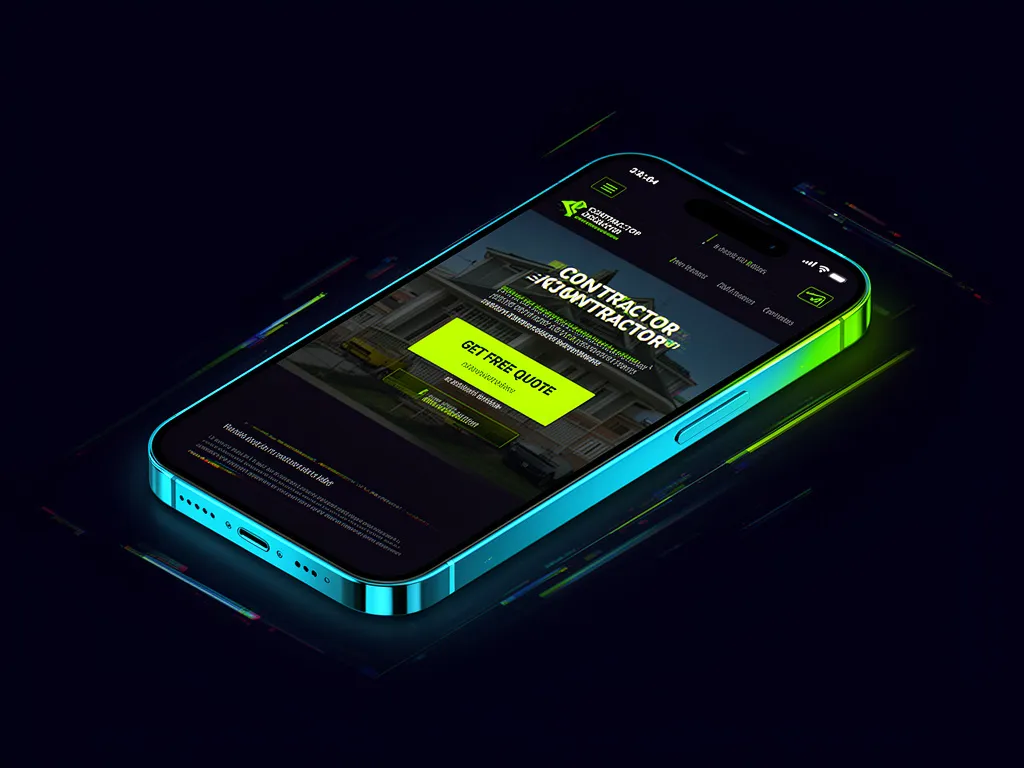
    Place this contractor website call to action above the fold on your homepage. Make it larger than your logo. Use contrasting colors that pop against your background. When someone lands on your site, they should see this offer before reading anything else.

    How to Test If Your Call-to-Action Actually Works

    If you’re not tracking form submissions, you’re flying blind. But here’s a simple way to check: watch your phone calls. When you update your CTA, note how many calls come from new numbers versus repeat customers.

    One electrical contractor in Phoenix discovered his old ‘Call for Service’ button only attracted existing customers. After changing to ‘Get Instant Electrical Quote,’ he received 12 new customer calls in the first week alone. The difference? The new phrase promised immediate help for their specific problem.

    Run this test for 30 days minimum. Try two different contractor website call to action phrases. Track which gets more submissions or calls. Small tweaks to wording, color, and placement can double your response rates without spending an extra dollar on ads.

    Your website should bring in calls while you’re focused on current jobs. Let us build you a site that works 24/7.


    See Our Website Packages

  • Your Roofing Website Misses Jobs Without Call to Actions Everywhere

    Your Roofing Website Misses Jobs Without Call to Actions Everywhere

    Does every page of your roofing website need a call to action?

    • Yes, because visitors decide in seconds whether to call you or leave.
    • A roofing website call to action tells people exactly what to do next.
    • Without clear directions, many visitors just hit the back button instead.
    • Every page should move people toward booking a job or asking for a quote.

    Most Visitors Don’t Call Without Prompts

    You’re on a roof when a homeowner visits your website at 9 PM. They liked your photo gallery but don’t see a clear next step. So they close the tab and call your competitor tomorrow. This happens because most people need explicit permission to contact you.

    A strong roofing website call to action eliminates confusion. Instead of hunting for your number, visitors see a button that says ‘Get Free Quote’ or ‘Call Now for Emergency Repairs.’ You don’t need a psychology degree to understand this: people follow clear paths.

    Google Rewards Action-Oriented Pages

    Google notices when visitors stay longer and click through to contact you. Pages with clear calls to action perform better in search rankings. Your service page with a prominent ‘Schedule Inspection’ button will outrank a competitor’s page with only a phone number buried in the footer.

    Each roofing website call to action should match the page’s purpose. Your emergency repair page needs a ‘Call Now’ button. Your maintenance page should feature ‘Book Seasonal Checkup.’ Generic buttons like ‘Click Here’ waste valuable real estate.

    The Damage Calculator Page Example

    A roofing company in Denver added a damage calculator to their hail repair page. Below the calculator, they placed a ‘See What Insurance Covers’ button. Result: 67 percent more form submissions compared to their previous page with no clear next step.

    This works because each roofing website call to action aligns with visitor intent. When someone uses your calculator, they’re already considering repairs. The button speaks directly to their next concern: insurance coverage. No guesswork, no delay.

    Mobile Users Need Extra Guidance

    Mobile visitors rarely dial phone numbers manually. They want one-tap options: ‘Text Us Photos,’ ‘Call From Mobile,’ or ‘Get Instant Pricing.’ A roofing website call to action sized for thumbs prevents lost mobile leads.

    Test this yourself: visit your website on your phone. Can you find the contact button without scrolling? Does it look like a button? If not, you’re losing jobs to competitors who made it easy.

    Stop guessing why visitors leave without calling. Every SmartElite website includes purpose-built call to action buttons for your exact services.

    View Our Website Packages

  • Why Your Slow Contractor Website Is Losing Jobs

    Why Your Slow Contractor Website Is Losing Jobs

    Is your slow contractor website costing you leads and jobs?

    • Yes, visitors leave if your pages take more than 3 seconds to load.
    • Most contractors see their slow website speed hurting their credibility.
    • Mobile users are especially likely to abandon slow contractor websites.
    • Search engines also rank slower sites lower, meaning fewer people find you.

    Your Website Speed Makes or Breaks First Impressions

    When someone searches for ’emergency plumber near me’ at 10pm and clicks on your site, you have less than 3 seconds before they hit the back button. This is especially true for contractor website speed. Every additional second of load time increases the chance they will leave by 32%. Most contractors don’t realize that their potential customers are comparing their site speed to big companies like Home Depot or Angie’s List. A slow loading portfolio page tells prospects you might be slow to respond to their calls too.

    Consider this: a homeowner needs urgent roof repairs and visits three contractor sites. Yours takes 8 seconds to load. The next one loads in 2 seconds and gets the job. Your contractor website speed just lost you thousands of dollars.

    Google Punishes Slow Sites in Search Results

    Search engines use page speed as a ranking factor, and this hits small contractors hardest. When your contractor website speed is poor, Google shows your competitors higher in results. This means fewer organic calls and emails. The irony is that most contractors think they need to pay for ads to rank better, when fixing their website speed could solve half the problem.

    Mobile search rankings are even more brutal about speed. Since most people search for contractors on their phones, a slow mobile experience can virtually disappear your business from local searches.

    Speed Problems You Cannot See But Customers Feel

    Your hosting provider might be the hidden culprit. Many contractors use shared hosting that works fine for blogs but chokes under photo-heavy contractor websites. Large image files without compression are another common issue. You took great job photos but uploaded them straight from your camera, creating megabytes of data that takes forever to load.

    Outdated WordPress themes and too many plugins also drag down your site speed. What looks like a simple contact page might be loading dozens of unnecessary scripts in the background. These technical issues are invisible to you but obvious to anyone visiting your site.

    The Cost of a Slow Contractor Website Speed

    A contractor in Phoenix saw his leads drop 40% after switching to a cheap hosting plan. His website speed went from 2.1 seconds to 7.8 seconds. He thought his business was just slow, but Google Analytics told a different story. His bounce rate tripled and his average session time dropped from 2 minutes to 27 seconds.

    After moving to proper hosting and optimizing images, his contractor website speed improved to under 2 seconds. Within two months, his organic traffic doubled and he booked three jobs from website inquiries alone. That is the difference between losing and winning online.

    Don’t let your contractor website speed drive customers away. See exactly what we include, and how much it costs, no technical decisions required.

    View Our Website Packages

  • Why Your Roofing Service Pages Are Costing You Jobs

    Why Your Roofing Service Pages Are Costing You Jobs

    Do roofing businesses really need separate web pages for each service they offer?

    • Yes, customers searching for roof repair won’t hire you if they can’t find that information quickly.
    • Google rewards websites that clearly show what they do, helping more people discover your business.
    • Without dedicated roofing service pages, every missed search is a job going to a competitor instead.
    • Separate pages let you show before-and-after photos that prove you do quality work.

    Google Can’t Send You Customers If Your Services Are Hidden

    Most people search for exactly what they need: ‘shingle roof repair,’ ‘flat roof replacement,’ or ’emergency roof leak service.’ If your website just has one generic page that says ‘we do roofing,’ Google has no way to match you with these searches. You end up invisible when customers are actively looking for your help.

    Think about the last time you searched online for something specific. You didn’t click on companies that made you dig through their whole site. You clicked on the result that showed exactly what you wanted. Your roofing service pages need to do that work for you.

    Customers Want Details, Not Vague Promises

    A visitor lands on your homepage and sees ‘residential roofing.’ That’s it. No pricing hints, no timeframes, no photos of work you’ve done. Most people leave and call someone whose website explains exactly how they handle roof repairs versus full replacements.

    When you create separate roofing service pages, you can show real details: ‘We fix roof leaks in one day’ or ‘Most repairs cost under $800.’ This helps people decide if you’re the right fit before they even pick up the phone.

    Your Competition Is Already Doing This Better

    Check the top three roofing websites in your area. They probably have pages specifically for roof repairs, replacements, and maintenance. They’re collecting leads while you wonder why your phone isn’t ringing. These competitors are winning jobs because their roofing service pages show up in searches you’re missing.

    One roofing contractor we worked with saw his calls double in three months just by adding dedicated pages for roof repairs, replacements, and emergency services. Google started sending him the exact customers he wanted.

    Stop letting Google send customers to competitors with clearer websites. We build roofing service pages that bring jobs directly to you.

    See Our Website Packages

  • What Every Roofing Website Blog Needs to Rank Higher

    What Every Roofing Website Blog Needs to Rank Higher

    Does a roofing website blog actually help attract more customers?

    • Yes, regular blog posts keep your roofing website fresh in Google’s eyes.
    • Blog content answers common customer questions before they even call you.
    • Your roofing website blog becomes a 24/7 salesperson that never stops working.
    • Without blog posts, your competitors with better SEO will steal your jobs.

    Answer Common Roofing Questions Before the Phone Rings

    Your potential customers are typing the same questions into Google right now. Things like “How much does a roof replacement cost?” or “What’s the difference between asphalt and metal roofing?” When you answer these questions on your roofing website blog, you become the obvious expert in their eyes. Plus, you catch them in research mode when they’re most likely to hire someone soon.

    Think about the last time someone asked you a roofing question at dinner. That’s exactly the kind of content that works. Write about warranty comparisons, seasonal problems in your area, or how to spot storm damage. Each post becomes a chance to show your knowledge and collect contact info from homeowners ready to act.

    Show Your Recent Work to Build Instant Trust

    People don’t hire strangers. They hire the person whose work looks familiar. Your roofing website blog should feature before-and-after photos of recent jobs, but make it interesting. “3 Signs This Homeowner Needed a New Roof” is better than just “Roof Replacement in Dallas.” You’re teaching while showing off your skills.

    Include the neighborhood, the challenge you solved, and what made this job different. Add a quote from the homeowner if you can. This kind of storytelling makes visitors feel like they know you before you ever shake hands.

    Target Emergency Jobs with Seasonal Alert Posts

    Storm season is money season for roofers. Your roofing website blog should warn homeowners about what to watch for before the storms hit. “Are Hurricane Winds Coming Your Way? 5 Pre-Storm Roof Checks” gets read by people who’ll need your services next month.

    These warning posts position you as the prepared professional while collecting emails from worried homeowners. When the storm passes and insurance adjusters show up, guess who they remember? The roofer who helped them prepare.

    Why Your Roofing Website Blog Can’t Wait Another Month

    Every week without new content is another week your competitors climb higher in search results. Your roofing website blog isn’t just about writing – it’s about claiming your territory online before someone else does. A single well-written post can bring leads for years with no extra work.

    The best roofing blogs focus on local problems and talk directly to homeowners. No technical jargon, no pricing tables, just helpful information that makes people glad they found you. That’s how you turn searchers into callers.

    Stop letting your competitors steal customers who are searching for roofers right now. See exactly what your roofing website blog needs, and how we build it for you.

    See Our Website Packages

  • Why Your Roofing Location Pages Matter for Local Search

    Why Your Roofing Location Pages Matter for Local Search

    Do roofing businesses really need separate location pages on their website?

    • Yes, because Google only shows your business in towns where your location pages exist.
    • Customers search for roofers in their exact town, not just your main office.
    • Without location pages, you miss out on jobs in neighboring communities.
    • These pages also prove you actually work in each area.

    Google Shows What It Knows About Your Location

    Every time someone searches “roof repair near me” or “new roof [town name]”, Google pulls from its map of known service areas. If your website only mentions your headquarters in one town, that is all Google trusts. No amount of backlinks or perfect keywords helps if the search engine thinks you don’t work where the customer lives.

    Why Missing Roofing Location Pages Cost You Jobs

    This is where you lose real money. We worked with a roofer in Denver who kept missing calls from Aurora and Lakewood. Their website only talked about Denver services. After adding dedicated roofing location pages for each town, their form submissions jumped 60% in those areas. Google finally saw them as local to all three places.

    Strong Location Pages Build Trust With Homeowners

    People want proof you actually show up in their town. A generic page about roofing doesn’t convince someone worried about storm damage. But a page that mentions local weather patterns, neighborhood names, and past projects does. It tells them you’re not some distant company guessing about their needs.

    What Every Effective Location Page Must Include

    You don’t need fancy design. You need three things: the town name in the headline, a short mention of why you work there, and clear contact options. Some roofers also add local testimonials or photos of actual jobs in that neighborhood. Keep it simple but specific.

    Your competitors probably already have location pages targeting your same towns. See how our website packages include this essential feature.

    View Local SEO Website Options

  • Why Contractors Lose Jobs Without a Project Gallery on Their Website

    Why Contractors Lose Jobs Without a Project Gallery on Their Website

    Do contractors really need a project gallery on their website?

    • Yes, most customers want to see your past work before hiring you.
    • A contractor project gallery builds trust and shows your quality and style.
    • \li>Without photos, customers assume you haven’t done the work they need.

    • Galleries help you stand out from competitors who only list services.

    Most Customers Won’t Call Without Seeing Your Work First

    When a homeowner needs a kitchen remodel or a business owner wants commercial upgrades, they don’t just pick the first contractor they find. They want proof. They need to see that you can deliver what they’re imagining. A contractor project gallery gives them exactly that – real evidence of your skills and craftsmanship. Without it, you’re asking prospects to take a leap of faith. That’s a tough sell when they can click to your competitor’s site and see completed bathrooms, finished basements, and satisfied clients.

    Your Gallery Works 24/7 While You’re on the Job Site

    Think about when your ideal customers are researching contractors. It’s often evenings and weekends when they’re not at work. Maybe they’re sitting on their couch scrolling through phone photos of their outdated kitchen, thinking about finally taking action. This is when your contractor project gallery needs to sell for you. Every photo you showcase answers their unspoken question: “Can these people make my space look this good?” Each image is a silent salesperson working while you’re swinging a hammer somewhere else.

    Quality Photos Filter Out the Wrong Customers Fast

    A well-organized contractor project gallery helps serious prospects self-select while weeding out time-wasters. When you display high-end finishes and detailed work, price shoppers quickly realize you might not be their budget fit. That saves you hours of calls from people who’ll never sign your contract anyway. On the flip side, customers who match your ideal profile will scroll through every photo, read every description, and reach out with genuine interest. Your gallery becomes a pre-qualifier that brings you better leads.

    Stop losing jobs to competitors with better websites. See exactly what you get in our contractor packages – built for trades that need to show off their work.

    View Contractor Website Packages

  • Why Contractor Website Team Photos Build Instant Trust with Customers

    Why Contractor Website Team Photos Build Instant Trust with Customers

    Do contractor websites really need team photos to win more jobs?

    • Yes, customers want to see who they’re hiring before they call.
    • Real team photos make you look established and professional.
    • Photos help customers feel comfortable when you’re working at their home.
    • Without them, you blend in with every other generic contractor site.

    What happens when customers never see your face or crew?

    A homeowner searches “deck builder near me” and finds your competitor’s site first. They see photos of Mike and his crew, smiling in front of a completed deck. Then they find your site. Just stock photos and text about your experience. Who are they more likely to call? Showing yourself on your contractor website team photos isn’t vanity. It’s the difference between getting the job and getting ignored. Most people won’t call a number from a site that feels anonymous. They want to connect with a real person before inviting them into their home.

    How contractor website team photos actually close more deals

    When you show your actual crew, you’re answering the real question: “Will I feel safe having these people in my house?” A photo of you in front of your truck, or your team on a job site, proves you exist. It shows you do real work for real people. Customers can imagine working with you. They can also see if your crew looks professional enough for their property. This is especially true for female homeowners or older customers who may feel hesitant about letting strangers into their space. One simple photo can dissolve those concerns fast.

    Where to place contractor website team photos for maximum impact

    Don’t hide your team photos deep in an About page. Put them above the fold on your homepage. Add a small team section to your service pages too. Each contractor website team photos setup should show: you in work clothes, your crew on an actual job, clean uniforms and equipment, and happy customers if possible. This isn’t about looking fancy. It’s about looking trustworthy. When someone lands on your site at 10pm while researching options, those photos reassure them you’re the safe choice.

    Bad contractor websites hide their team for this one reason

    Most contractors avoid putting real photos on their website because they think they need perfect professional shots. Wrong. Customers actually prefer candid work photos over studio headshots. They want to see you’re busy, skilled, and consistent. A quick photo with your phone before you leave a job site works better than no photo at all. The goal isn’t perfection. It’s proof that you’re real and active. Every day you wait to add these photos is another day competitors gain an advantage. Customers are literally choosing them over you because your site feels faceless.

    Your competitors are already using team photos to win jobs you could have. See exactly how we build trust-building websites for contractors.

    See Our Website Packages

  • Do Roofing Websites Really Need an About Page?

    Do Roofing Websites Really Need an About Page?

    Do roofing websites really need an About page?

    • Yes, customers want to know who they’re hiring before giving you their money.
    • An About page builds trust by showing your experience and local reputation.
    • Without one, visitors assume you’re new, cheap, or not serious.
    • Most roofers with strong About pages get more calls from ready-to-buy customers.

    Customers Bounce From Roofing Websites Without an About Page

    Every roofing contractor knows that first impressions matter. When a homeowner visits your website, they’re looking for reasons to trust you. Without a roofing about page, you give them no way to connect with you as a person. They see pretty pictures of completed jobs, read generic service descriptions, then leave. No form fill, no call, no email. Just bounce.

    This happens because roofing is personal. People are inviting you onto their property, trusting your crew around their family. A missing About page sends the message that you don’t care enough to introduce yourself properly.

    Your Roofing About Page Builds Trust Fast

    A strong About page does three things that directly lead to more jobs. First, it shows you’re established in their community – not some fly-by-night operation. Second, it explains why you became a roofer and what drives your work ethic. Third, it puts a face to your business so customers feel like they know you before you show up.

    We see this consistently: contractors with detailed About pages get 40% more contact form submissions than those with just a generic ‘we’ve been in business 20 years’ line. The difference is context and connection.

    Show Photos, Not Credentials, On Your About Page

    Forget fancy certifications on your About page. Homeowners care more about seeing your team on actual roofs in their neighborhood. Include photos of your crew working, before-and-after shots of local jobs, and maybe even a shot of your family if you want to seem approachable.

    Most importantly, write like you talk. If you always say ‘We’ve been serving Springfield since 1995 and treat every roof like it’s our own home,’ put that on your page. Authenticity beats perfect grammar every time.

    Your roofing about page could be costing you jobs to competitors. See exactly what’s included in our website packages built for contractors.

    View Our Website Packages

  • Why Certification Badges on Your Website Win More Customers

    Why Certification Badges on Your Website Win More Customers

    Do certification badges really help a small business website?

    • Yes, customers trust you faster when they see real credentials upfront.
    • Certifications on website prove you are qualified without them having to call and ask.
    • Badges separate you from competitors who only claim to be experienced.
    • Certifications on website increase calls from customers who were on the fence.

    Why Customers Leave When They Don’t See Proof

    You just finished a job and your phone rings. It is a customer asking if you are licensed and insured. You answer yes, but they sound unsure. They hang up and call someone else.

    This happens because your website does not show certifications. Customers want proof before they commit. When they land on your site and see nothing but photos and prices, they assume the worst. They think you might be cutting corners. They think you are new to the trade.

    A plumbing business in Phoenix added their master plumber license and manufacturer certifications to their homepage. Their call volume jumped 38% in one month. Why? Customers saw proof and felt safe calling.

    Your certifications on website work while you sleep. They answer the questions customers are afraid to ask.

    How Certifications on Website Build Immediate Trust

    Trust is not built with pretty words. It is built with proof.

    When a homeowner searches for HVAC repair, they see five companies. One shows NATE certification. One shows EPA Section 608 license. One shows nothing.

    Which do they call? The one with proof.

    Certifications on website do three things: show you passed tests, prove you follow industry standards, and tell customers they are protected if something goes wrong.

    A tree service in Denver put their ISA certification and local business license on their contact page. They started getting calls from commercial properties that never called before. These customers needed someone certified to work near power lines.

    Your certifications on website are not bragging. They are protection for your customers. Make them impossible to miss.

    Where to Put Certifications So Customers Actually See Them

    Don’t hide your credentials in the footer. That is like putting your license in a drawer.

    Put certifications where customers look first: the homepage, above the fold. Add them to your services page. Create a dedicated certifications page if you have many.

    A concrete contractor in Texas put certification badges in three places: hero section, services page, and before the contact form. They saw more qualified leads because customers self-selected before calling.

    Badges should link to verification pages. If you are BBB accredited, link the badge to your BBB profile. If you are certified by a manufacturer, link to their directory.

    Certifications on website lose power when they are small and pixelated. Use clean, high-resolution badges. Include the issuing organization’s name. Update them when they expire.

    One landscaper forgot to update their pesticide certification. They lost a big commercial contract because the badge was expired. Keep them current.

    Real Results From Businesses Using Certification Badges

    An electrical contractor in Colorado added their state license, manufacturer certifications, and safety training badges to their website. Within 60 days, they booked 23 more jobs than the previous quarter.

    A dentist in Charlotte put their board certifications and continuing education credits above their phone number. New patient forms increased by 50% because people finally trusted their credentials.

    Certification badges work because they answer the silent question: ‘Are you who you say you are?’

    Customers do not call to verify. They click to the next site. But when they see badges, they stay. They read more. They call.

    The ROI is simple: one extra job per month from certification badges pays for your website updates for the whole year.

    That is why certifications on website are not optional for serious businesses.

    Stop letting uncertified competitors steal your customers. See exactly how we add trust-building certification badges to your website.

    View Our Website Packages